 N1KO-STATE
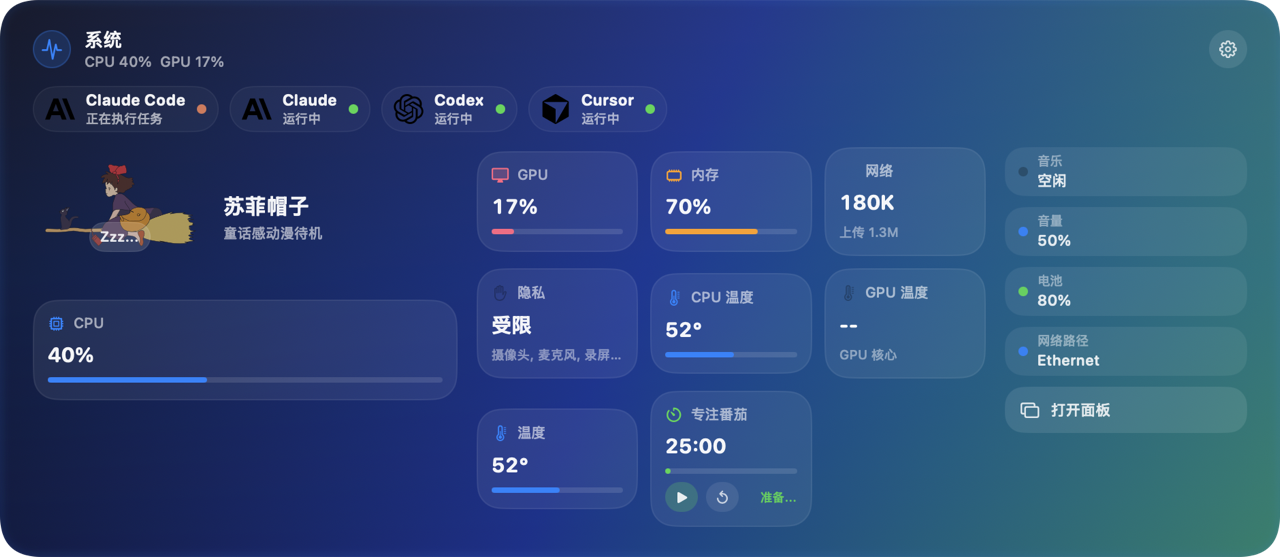
Full dashboard around the notch
围绕刘海的完整仪表盘
CPU, GPU, memory, network, privacy, focus timer — plus live AI agent status.
CPU、GPU、内存、网络、隐私、番茄钟 — 还有 AI 智能体实时状态。
Native system monitor with a notch-hugging island, live AI agent status, and deep hardware metrics — idle around 0.3% CPU.
原生系统监控:刘海灵动岛、AI 智能体实时感知、深度硬件指标 — 空闲约 0.3% CPU。
Real app UI
真实界面
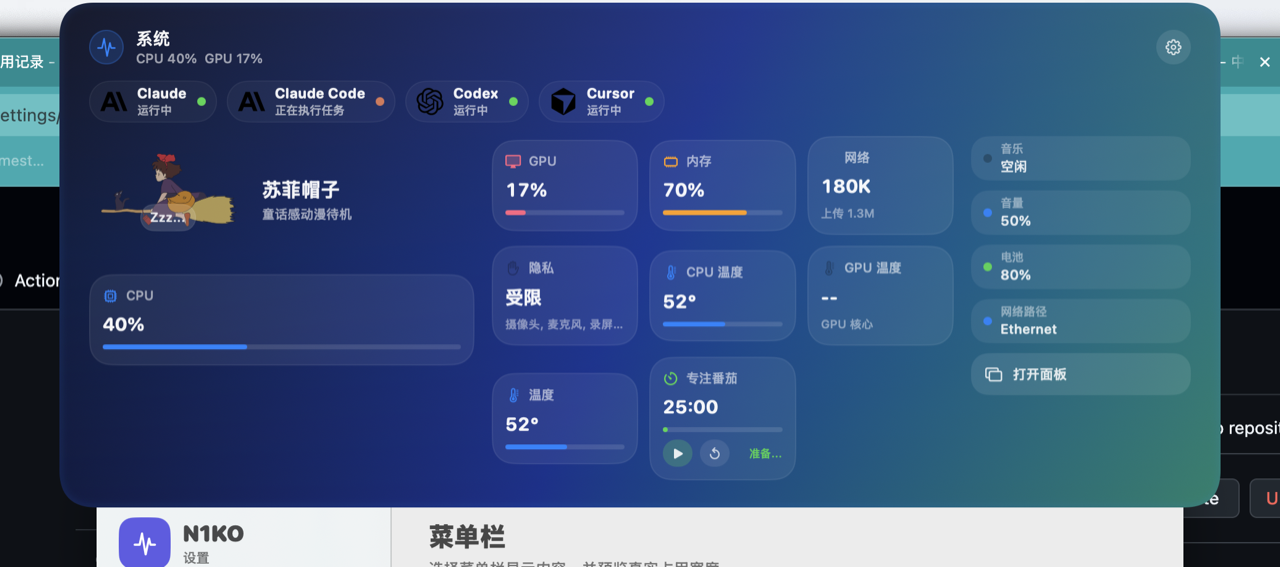
No mockups — every screenshot below is from the installed app on macOS.
没有 mockup — 以下每一张都是本机安装后的真实截图。
CPU, GPU, memory, network, privacy, focus timer — plus live AI agent status.
CPU、GPU、内存、网络、隐私、番茄钟 — 还有 AI 智能体实时状态。

Character + metric hug the notch when collapsed.
收起时角色与指标贴合刘海。
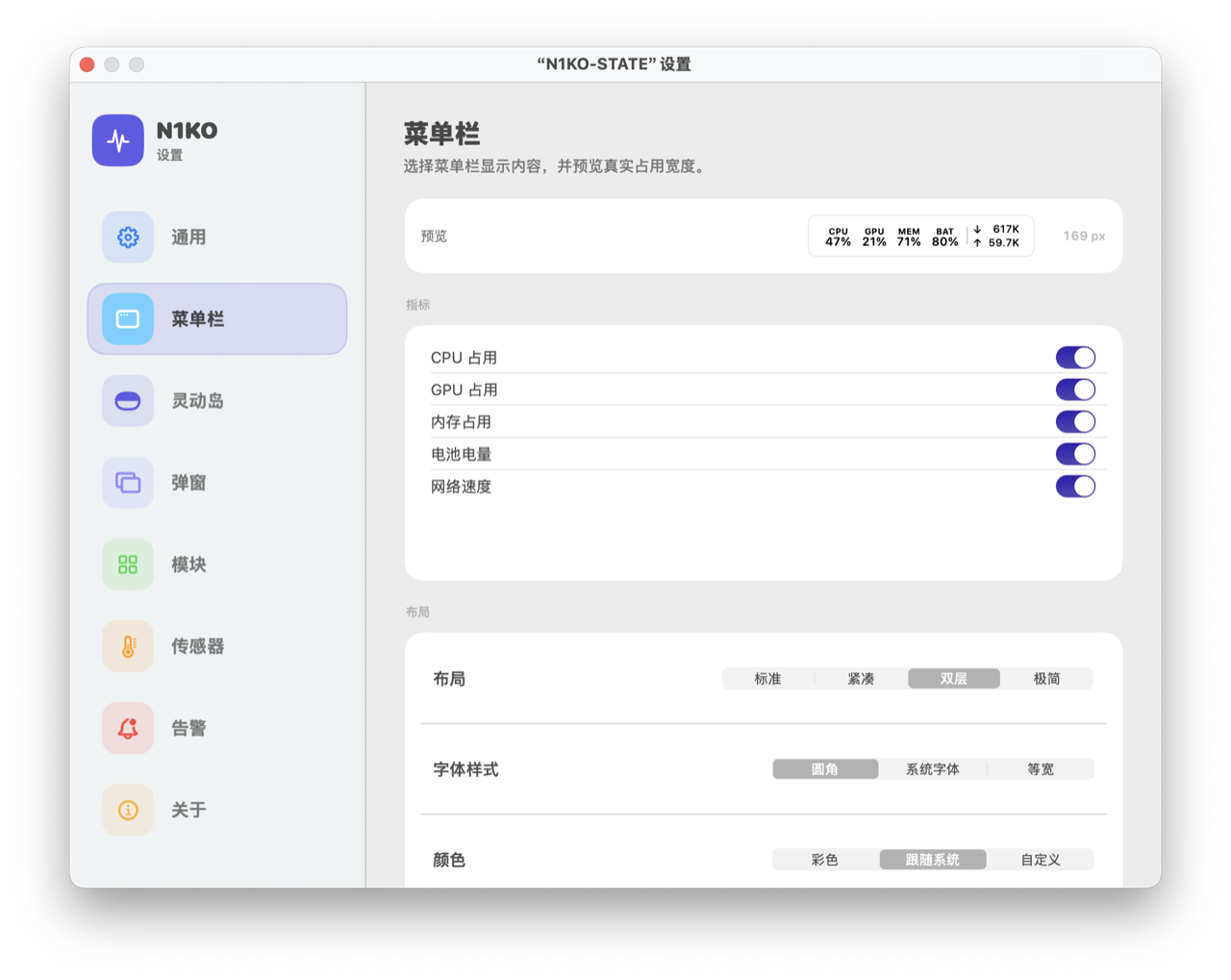
Pick metrics, layout & colors — see width before you commit.
自选指标、布局与配色,提前看到占用宽度。
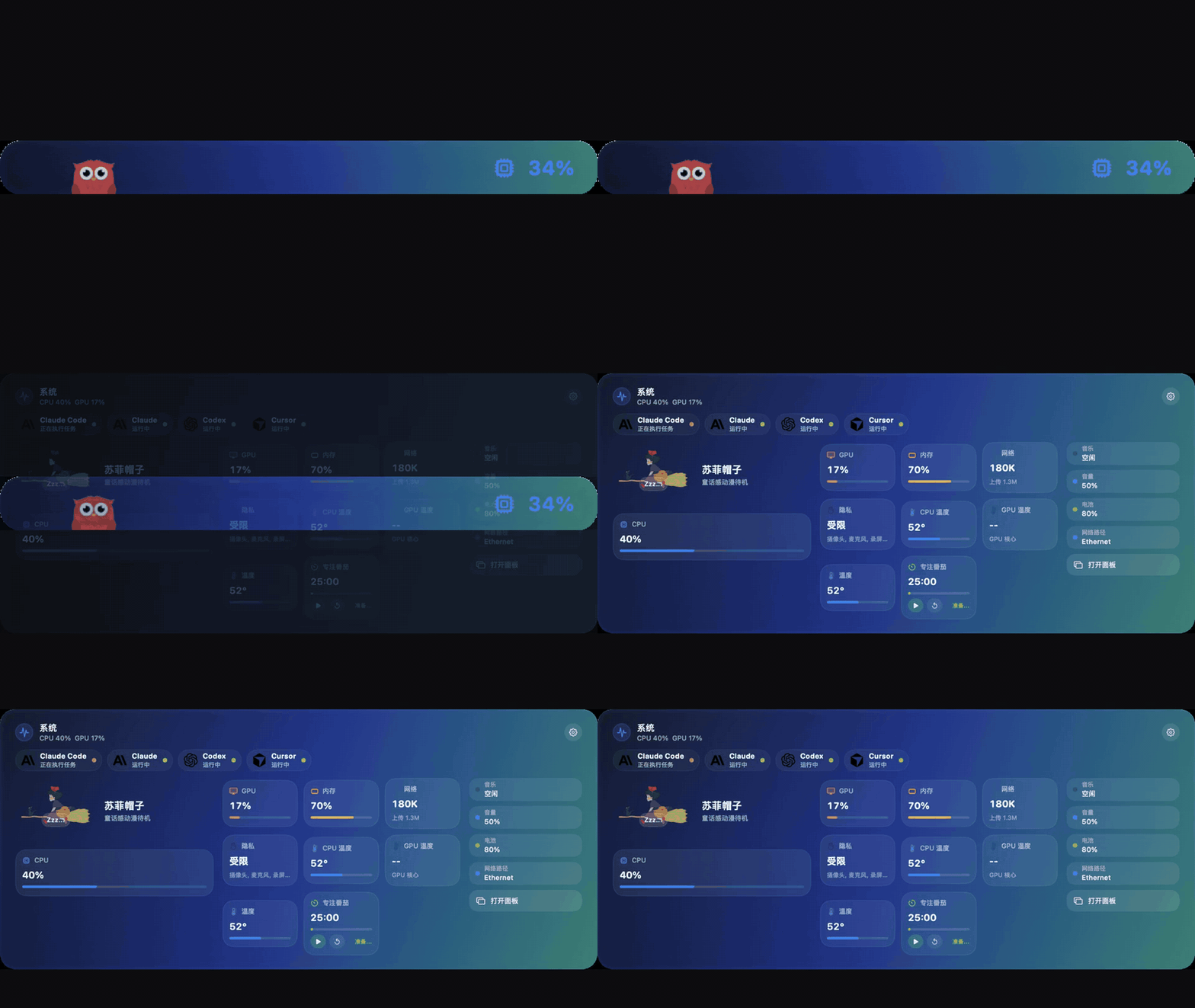
Recorded from the actual app UI on this Mac.
由本机真实界面录制的过渡动效。
Features
功能
Compact or expanded — metric grid, signal rail, system HUDs, and 50+ Lottie characters.
紧凑或展开 — 指标网格、信号栏、系统提示与 50+ Lottie 角色。
Claude, Claude Code, Cursor, Codex, Gemini & more — click to jump back to the active session.
Claude、Claude Code、Cursor、Codex、Gemini 等 — 点击回到当前会话。
Sensors, 24h charts, threshold alerts, fan curves — visibility-driven sampling keeps overhead low.
传感器、24h 图表、阈值告警、风扇曲线 — 可见性驱动采样,开销极低。
Dynamic Island
灵动岛
The island morphs smoothly around the notch — auto-layout widgets, fullscreen-aware, works on external displays too.
灵动岛围绕刘海丝滑形变 — 组件自动排版、全屏感知,外接屏同样可用。
Install
安装
Download N1KO-STATE.dmg from GitHub Releases.
从 GitHub Releases 下载 N1KO-STATE.dmg。
Open the disk image and drag the app into Applications.
打开镜像,将应用拖入「应用程序」。
Settings → Island. Customize widgets, characters & AI strip.
设置 → 灵动岛。定制组件、角色与 AI 条。
Blocked on first launch? Run xattr -cr /Applications/N1KO-STATE.app or right-click → Open.
首次打开被拦截?执行 xattr -cr /Applications/N1KO-STATE.app 或右键 → 打开。
MIT licensed. If N1KO-STATE helps your workflow, a GitHub star goes a long way.
MIT 协议。若 N1KO-STATE 帮到了你,欢迎 GitHub 点个 Star。